
Cognitive diagnostic assessments, such as the Mechanics Cognitive Diagnostic (MCD) and Calculus Cognitive Diagnostic (CCD), adapt to each student and report proficiency and mastery of specific skills. Before each administration, you choose which learning objectives it covers.
Choose learning objectives
- Add the assessment to your course. Consider more than two administrations so you can track growth through the term.
- Open the assessment’s administration page: on Courses, scroll right, click the arrow next to the course name, then click the assessment’s name.
- Open Administrations. Each administration has its own card.
- On an administration card, click SELECT LEARNING OBJECTIVES.
- Check the objectives you want this administration to measure. Each shows its name and about how many minutes it adds.
- Click Submit, then OK. The chosen objectives are checked in the card’s list.
- Repeat for each administration. Different administrations can cover different objectives.
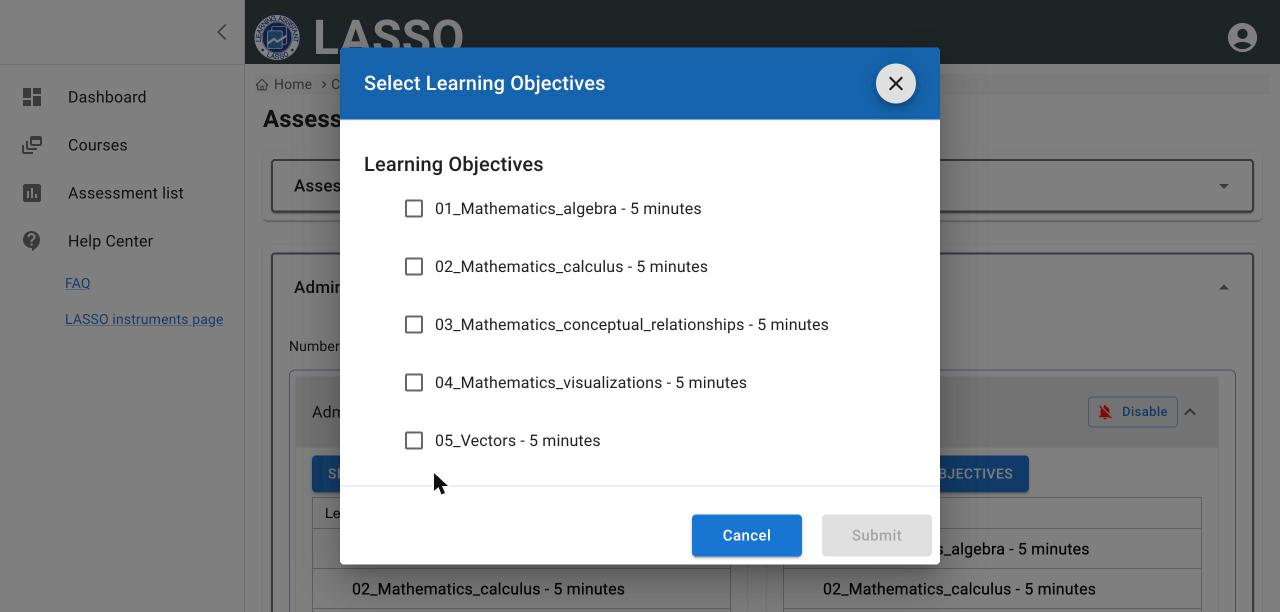
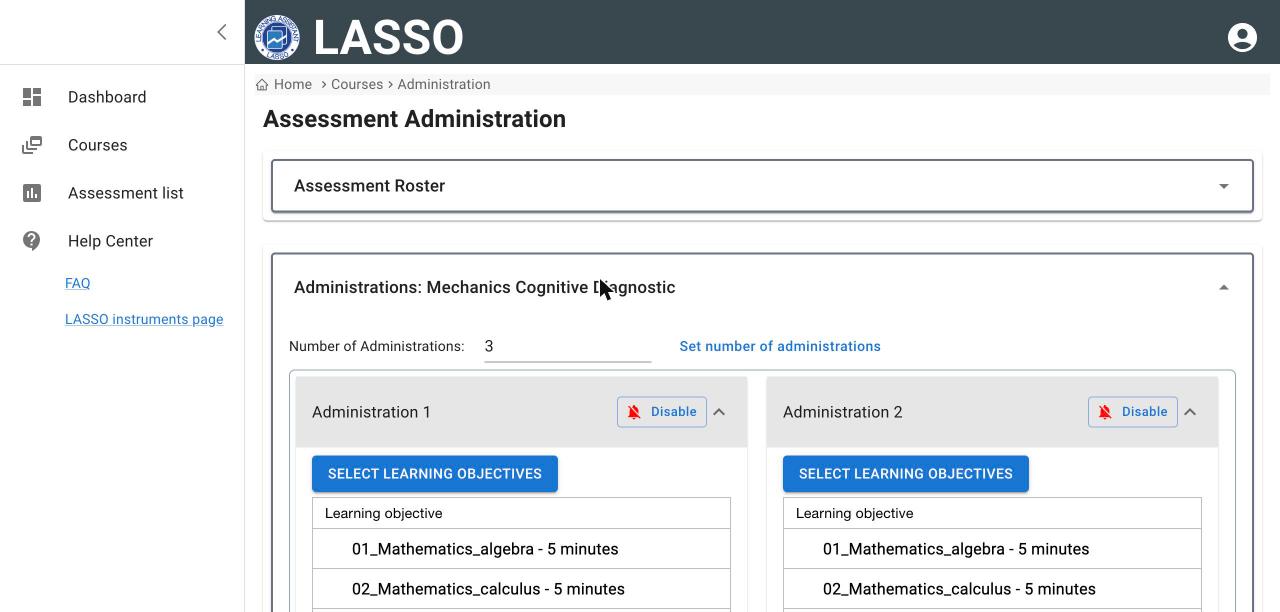
More objectives mean more questions. On a test course, two objectives produced 6 questions. Students may also see a short section of new questions under development; these do not count toward their scores.
Then schedule the administration as usual.
Reports
Adaptive assessments report proficiency on a T-score scale (mean 50, standard deviation 10) and mastery of each learning objective. Students can see their own report. See View reports.
Next: Add and manage students
All instructor guides | Help Center home
Verified on LASSO version 10.1.2, October 2026. Questions? Email contact@lassoeducation.org.