
A course holds your roster and your assessments. Create one course for each class section you want reports for. The form has six sections; a green check appears on each section when it is complete.
Tip: Teaching the same course again? Copy last term’s course to reuse your answers.
Open the form
- Click Courses in the left menu.
- Click ADD COURSE. (You can also click Add Course on the Dashboard.)
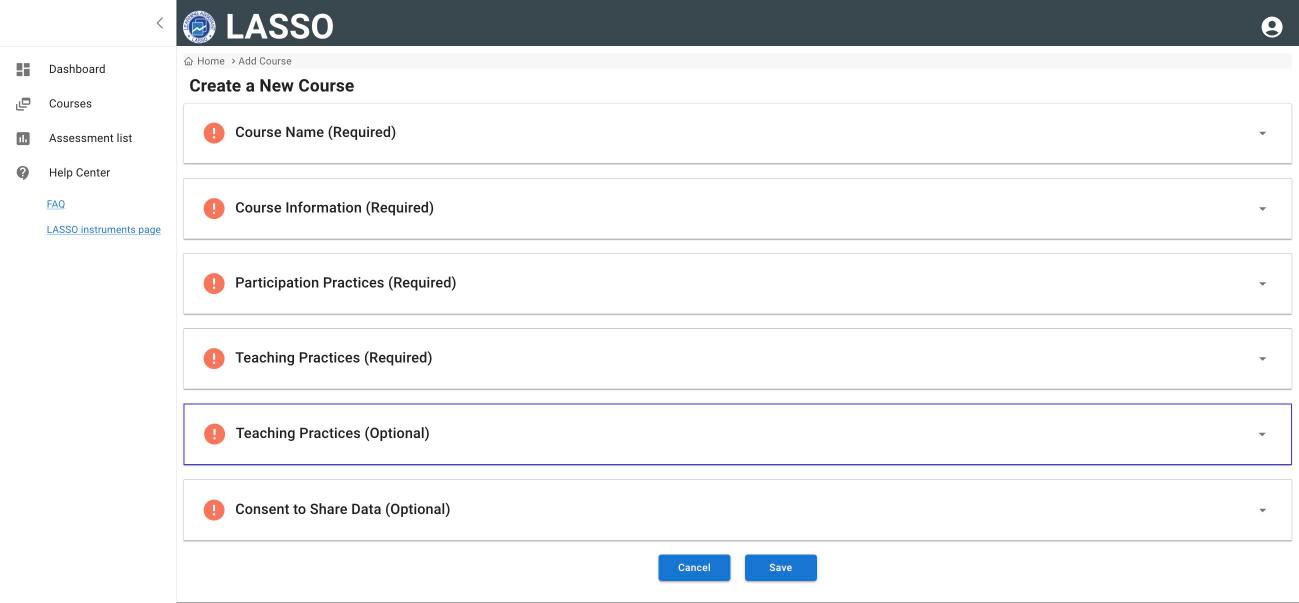
1. Course Name (required)
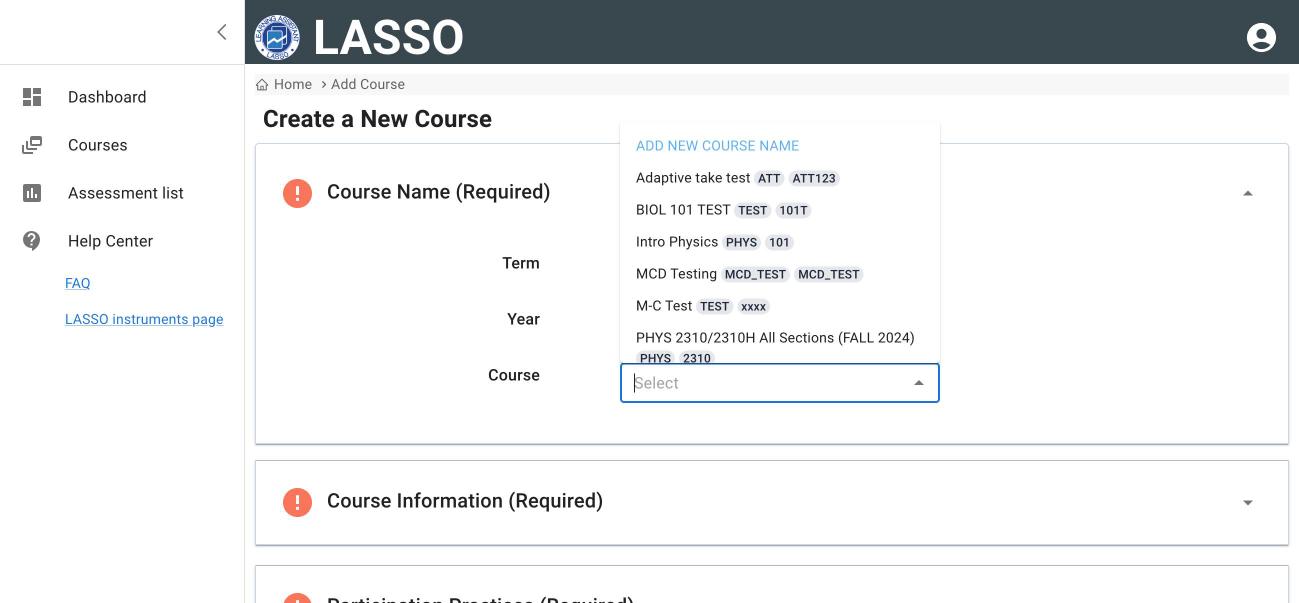
- Choose the Term (Fall, Spring, Summer or Winter) and check the Year.
- Open the Course menu and pick your course if it is listed.
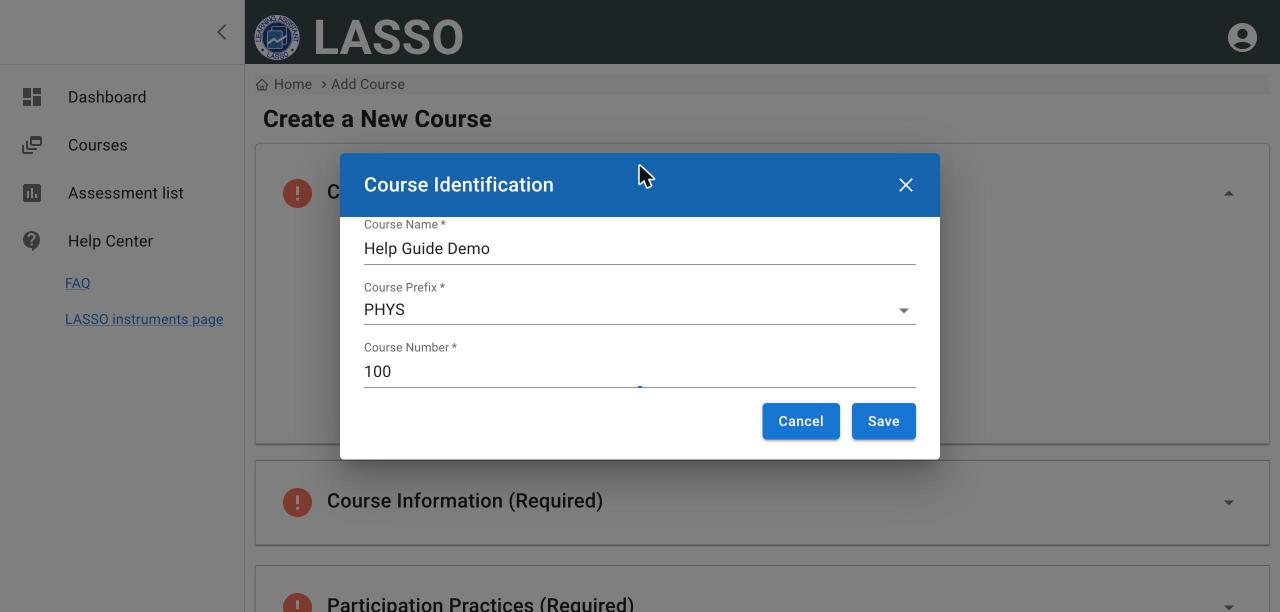
- If it is not listed, click ADD NEW COURSE NAME, enter the Course Name, Course Prefix (for example PHYS) and Course Number, then click Save and OK.
2. Course Information (required)
- Instructors: you are added automatically. Type to add co-instructors.
- Assessment Coordinators: optional. Add a TA or course coordinator who should manage the assessments. Coordinators have full access to administering and viewing results. Use SEARCH BY EMAIL, or INVITE NEW USER if they do not have a LASSO account.
- Is the course: In Person, Online, Hybrid or Other.
- Course Enrollment: your best estimate of the percent of students majoring in this course’s discipline and in other disciplines.
- Weekly contact hours for lecture, lab, combined lecture and lab, discussion or recitation, and other. Leave blank any that do not apply.
- Do you plan on having students take the assessment: At home, In class, or both. Choose at least one.
- Does your course use near-peer instructors? Check all that apply (Learning assistants, Supplemental instruction, Peer led team learning, Other) or No.
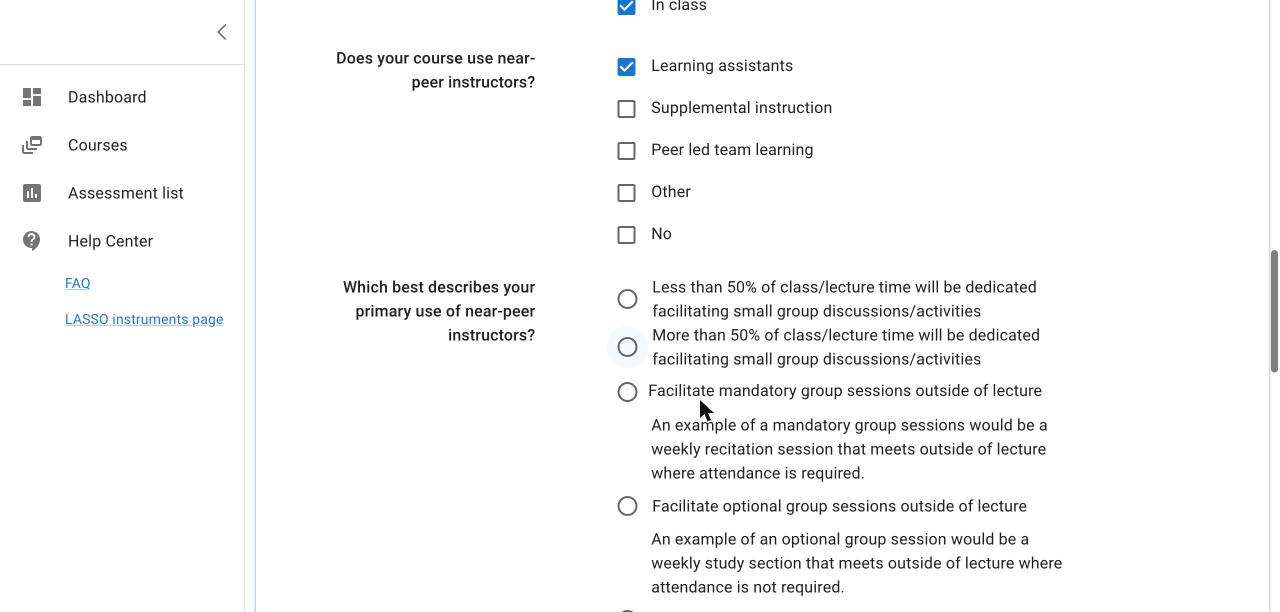
Important: If you check a near-peer option, two more questions appear: your primary use and your secondary use of near-peer instructors. Both are required. Choose None for secondary use if there is only one. The section may show a green check before you answer them.
3. Participation Practices (required)
Answer Yes or No: will you give credit for participating, use email reminders, and use in-class reminders?
4. Teaching Practices (required)
Rate four statements about how you teach, from Not at all to Very. These help researchers connect teaching practices to student outcomes.
5. Teaching Practices (optional)
Twenty more statements in the same format. Answering them is optional but helps the research.
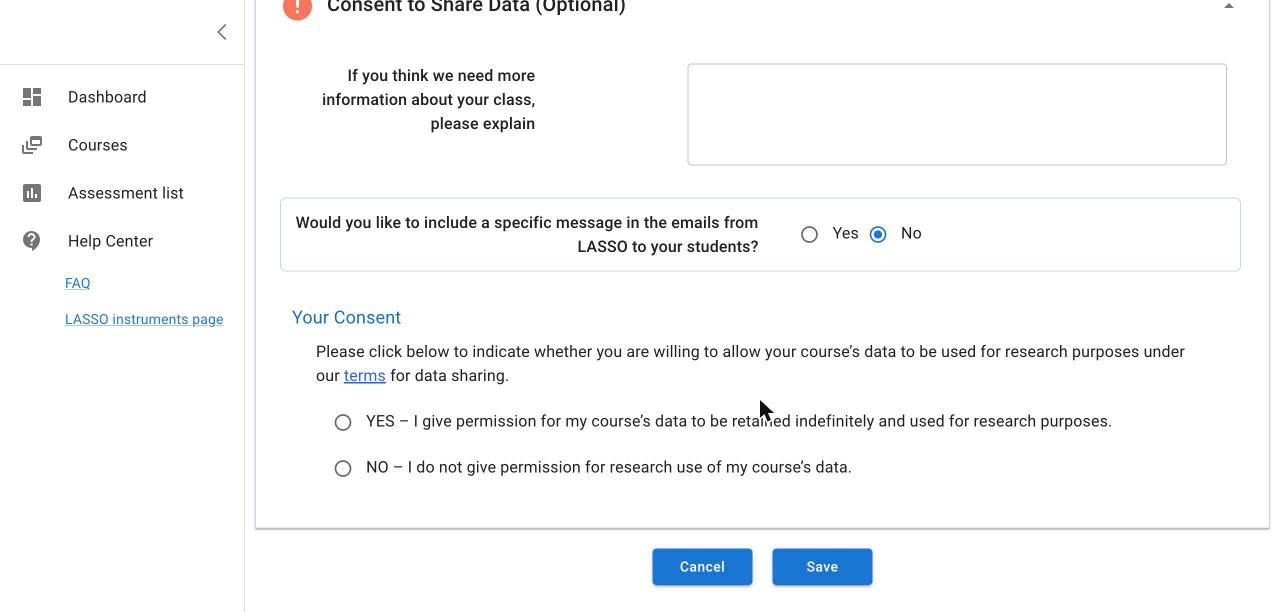
6. Consent to Share Data (optional)
- If you think we need more information about your class, please explain: optional notes to the LASSO team.
- Would you like to include a specific message in the emails from LASSO to your students? Choose Yes and type your message. It appears in every invitation and reminder email.
- Your Consent: choose YES to allow your course’s de-identified data to be used for research, or NO. See the FAQ for how data are protected.
Save
Click Save. When you see New course added, click OK. If a required answer is missing, a Validation failed message names it.
Next: Choose and add assessments
All instructor guides | Help Center home
Verified on LASSO version 10.1.2, October 2026. Questions? Email contact@lassoeducation.org.