
Cognitive diagnostic assessments, such as the Mechanics Cognitive Diagnostic (MCD) and Calculus Cognitive Diagnostic (CCD), adapt to each student and report proficiency and mastery of specific skills. Before each administration, you choose which learning objectives it covers.
Choose learning objectives
- Add the assessment to your course. Consider more than two administrations so you can track growth through the term.
- Open the assessment’s administration page. LASSO opens it for you right after you add the assessment. Later: On the Dashboard, click Open (or Set dates) next to the assessment on its course card. Or click All courses, click the course’s row, then click Open or Set dates next to the assessment.
- The Administrations section is open. Each administration has its own card.
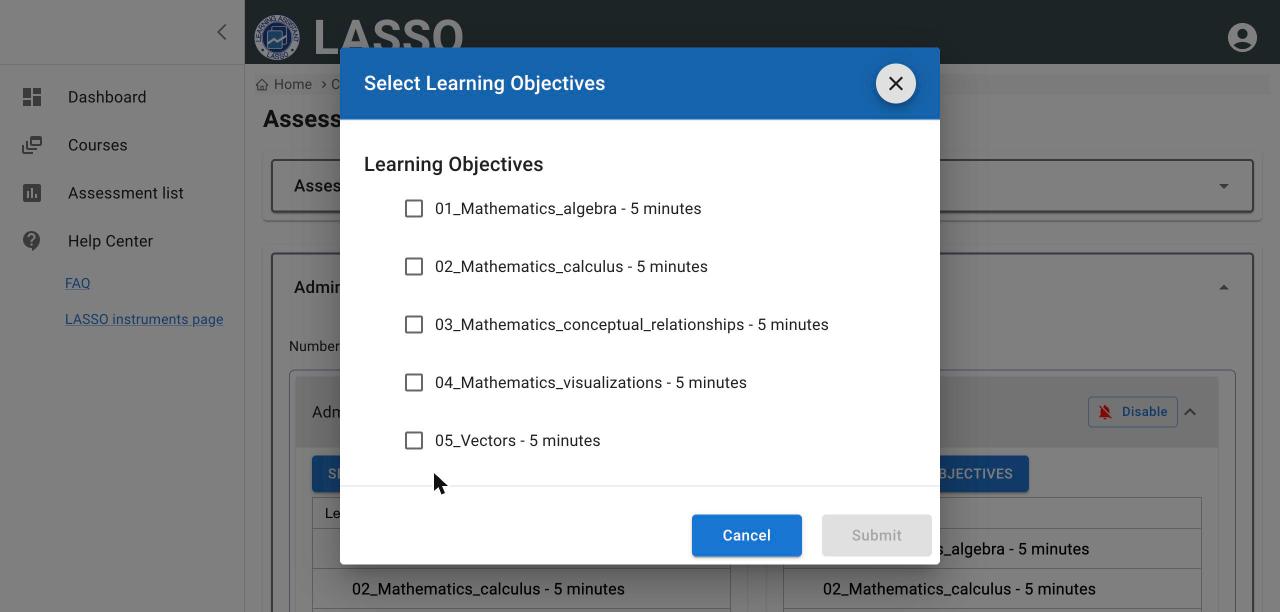
- On an administration card, click SELECT LEARNING OBJECTIVES.
- Check the objectives you want this administration to measure, up to 8. Each shows its name and about how many minutes it adds.
- Click Submit, then OK on Saved successfully. The chosen objectives are checked in the card’s list, with the Estimated length.
- Repeat for each administration. Different administrations can cover different objectives.
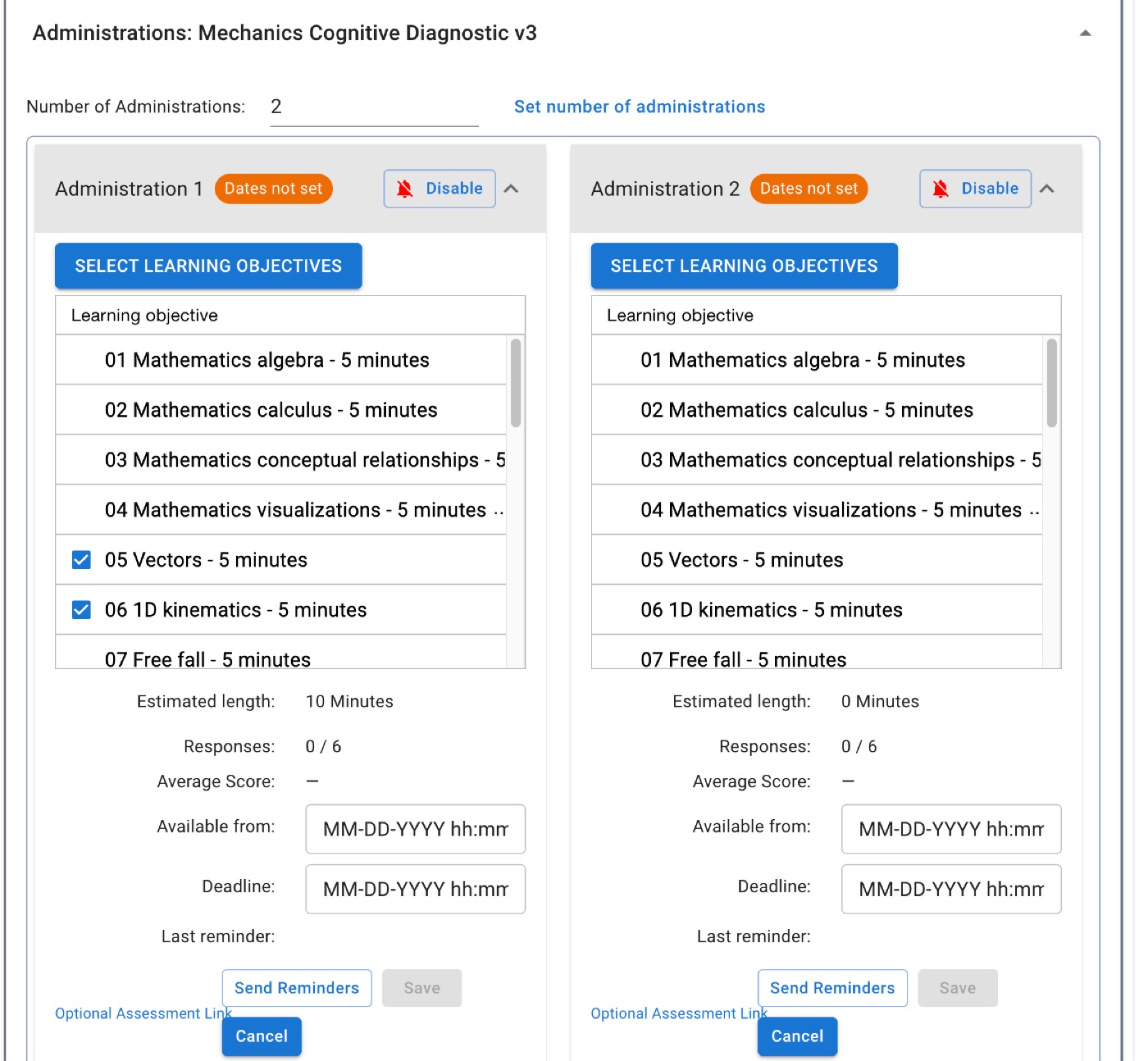
More objectives mean more questions. On a test course, two objectives produced 6 questions. Students may also see a short section of new questions under development; these do not count toward their scores.
Then schedule the administration as usual. Each administration needs at least one learning objective before you can save its dates.
Reports
Adaptive assessments report proficiency on a T-score scale (mean 50, standard deviation 10) and mastery of each learning objective. Students can see their own report. See View reports.
Next: Schedule an administration
All instructor guides | Help Center home
Updated for the November 2026 LASSO release. Questions? Email contact@lassoeducation.org.