
Concept Inventory Report
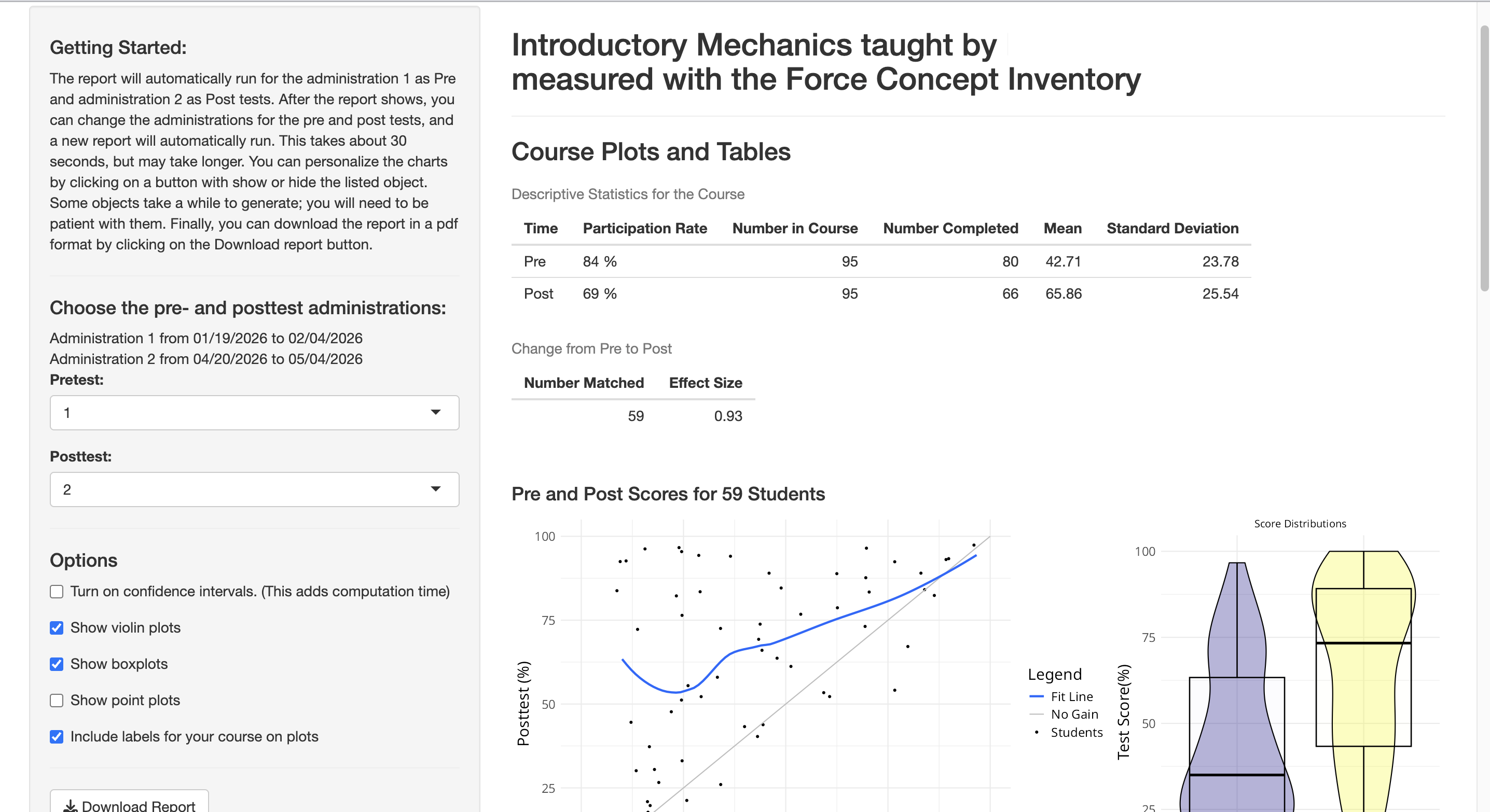
The report for the concept inventory assessments provides a comprehensive view of student learning by comparing pre- and post-instruction performance. It includes interactive visualizations, descriptive statistics, and comparisons to similar courses to help instructors evaluate learning gains and instructional effectiveness.
Overview
This report allows you to explore how students’ conceptual understanding changes over time. By analyzing matched pre- and posttest data, instructors can identify patterns in student learning, measure improvement, and better understand the impact of their teaching.
The report includes:
- Participation and completion rates
- Summary statistics (mean scores and variability)
- Effect size to measure learning gains
- Visualizations of score distributions and individual performance
- Comparisons with other courses using the same instrument
Key Features
Course-Level Insights
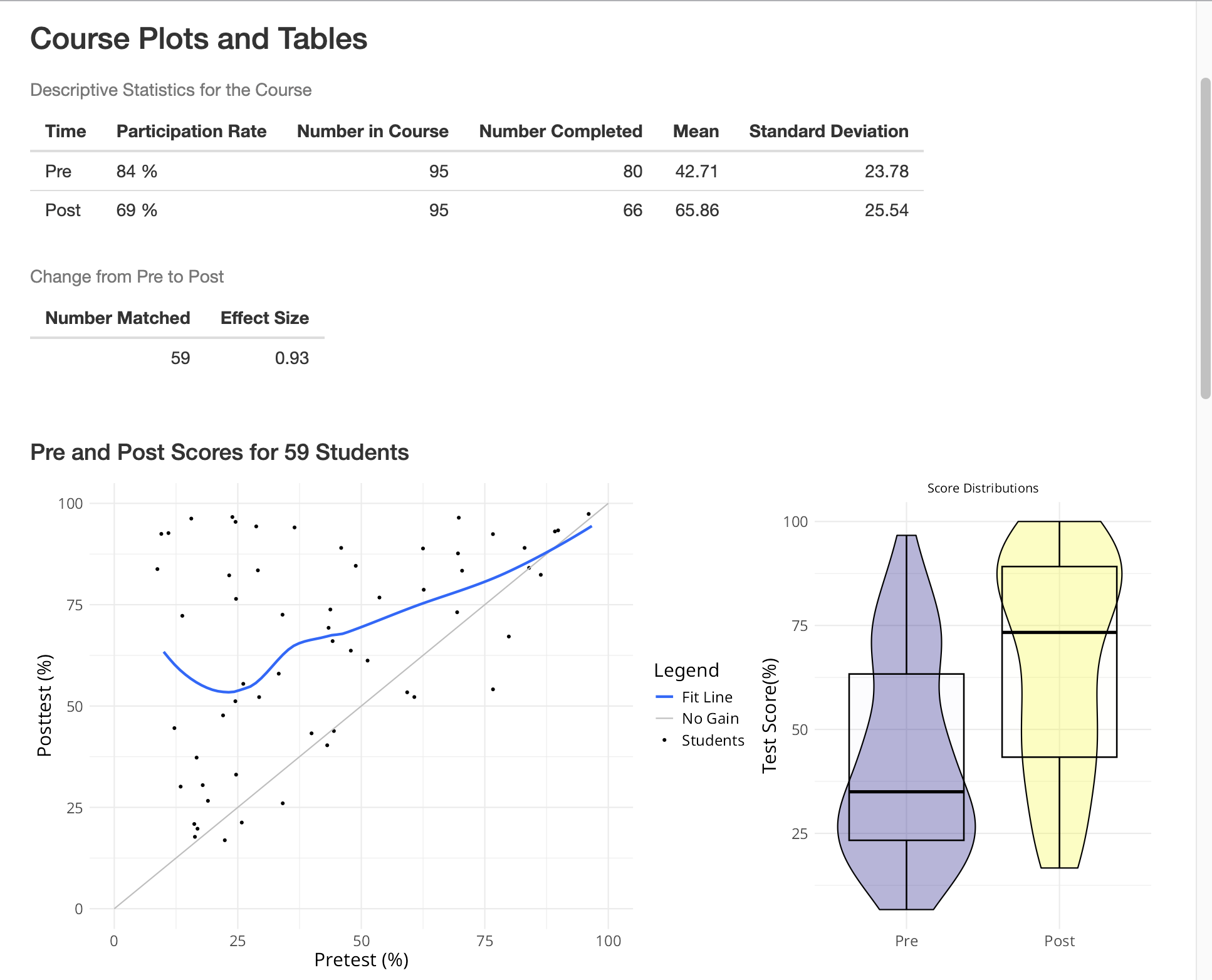
The report provides descriptive statistics for your course, including: participation rate, number of students enrolled and completing the assessment, mean scores and standard deviation for pre- and posttests. It also calculates the effect size, allowing you to quantify the magnitude of student learning gains.
Student Performance Visualization
Interactive plots help you explore student performance in detail. Scatter plots show matched pre- and posttest scores for individual students, along with a trend line representing typical learning gains. Distribution plots (density, boxplots, and scatter plots) illustrate how scores are spread across students. Median scores and quartiles are highlighted to support interpretation
Comparison with Other Courses
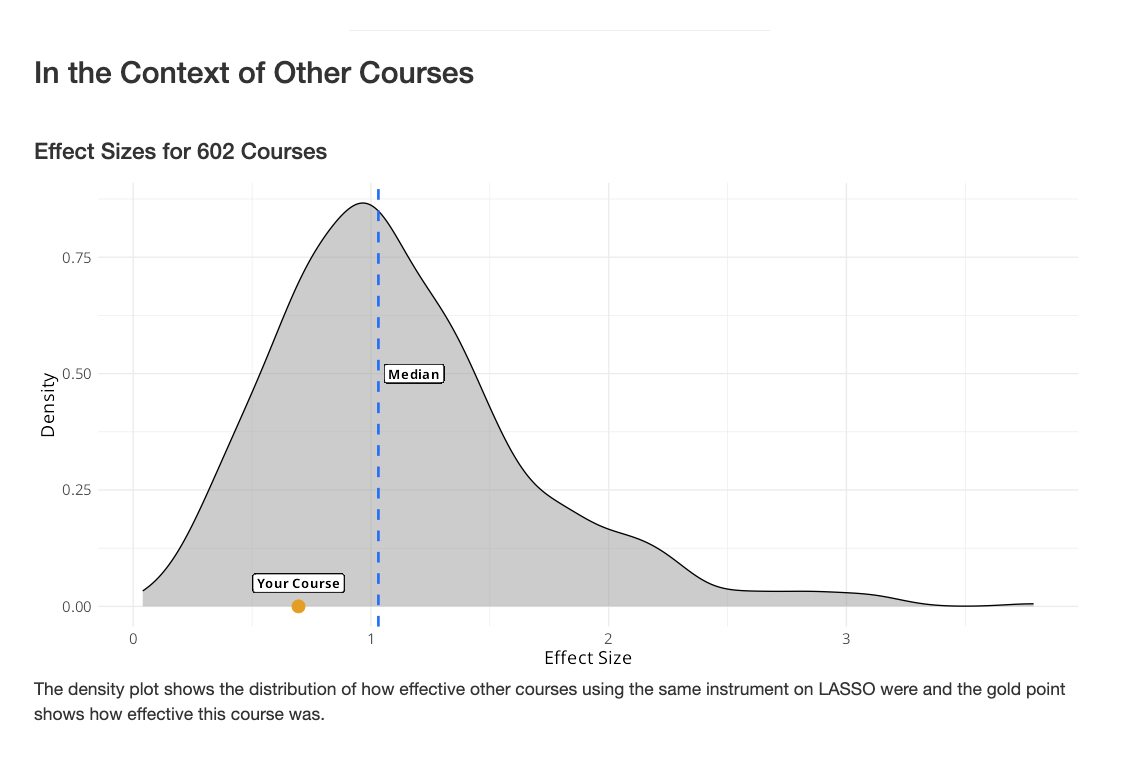
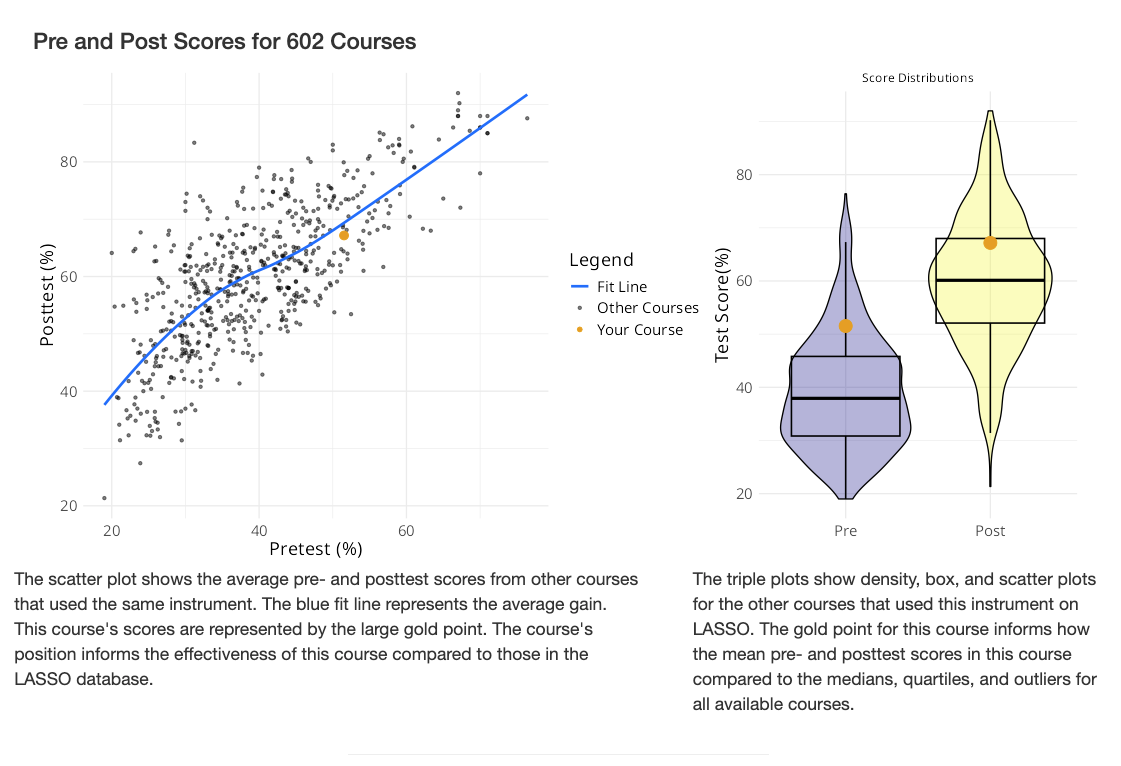
When sufficient data is available, the report situates your course within the broader LASSO dataset. Effect size distributions show how your course compares to others using the same instrument. Pre/post score comparisons allow you to see how your students’ performance aligns with trends across courses. Your course is highlighted within these visualizations to make comparisons clear. These comparisons help contextualize your results and provide benchmarks for instructional effectiveness.
How It Works?
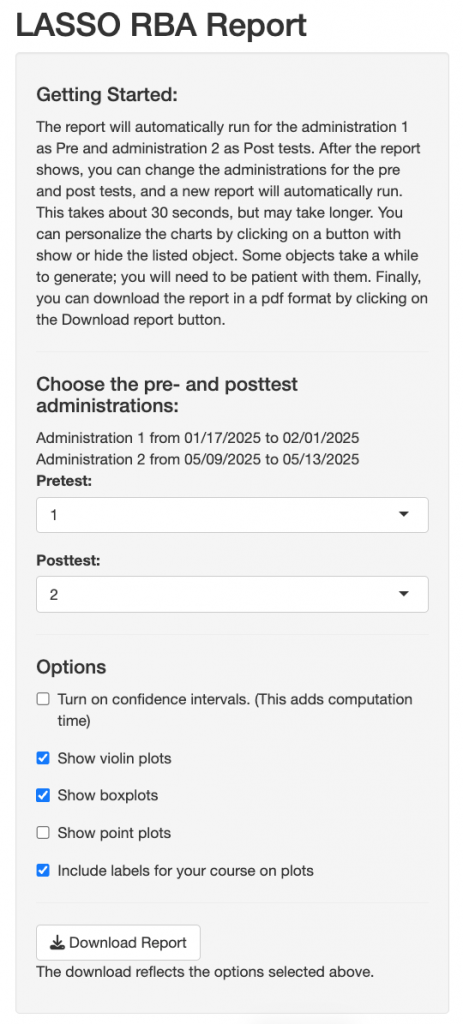
By default, the report is generated using:
- Administration 1 as the pretest
- Administration 2 as the posttest
After the report loads, you can:
- Select different administrations for pre- and posttests
- Customize visualizations by showing or hiding specific elements
- Enable additional features such as confidence intervals
You can download a PDF version of the report at any time. The downloaded report will reflect your selected options and settings.
Instruments:
This report works with any concept inventory instrument available in LASSO that includes both pre- and posttest administrations.
Comparisons with other courses are available for instruments with sufficient data in the LASSO database.
FAQ
A concept inventory is a research-based assessment designed to measure students’ conceptual understanding of key ideas within a discipline. These assessments focus on conceptual reasoning rather than memorization or procedural problem solving.
Effect size is a statistical measure that estimates the magnitude of student learning gains from pretest to posttest.
Larger effect sizes generally indicate greater overall improvement in conceptual understanding.
Matched scores refer to students who completed both the pretest and posttest. These matched responses are used to analyze changes in individual student performance over time.
Comparisons with other courses provide context for interpreting your results. These visualizations show how your course’s performance and learning gains compare with courses using the same instrument in the LASSO dataset.
These comparisons are intended as benchmarks rather than rankings.
To improve data quality, the report filters out responses from students who spent less than 5 minutes on the assessment or completed less than 80% of the test items.
Yes. You can customize the report by showing or hiding different plot types, enabling confidence intervals, etc.
Yes. After the report loads, you can choose different administrations for the pretest and posttest. The report will automatically update based on your selections.
Yes. You can download a PDF version of the report at any time. The downloaded report reflects the currently selected administrations and visualization options.